How to download all of your fund static data
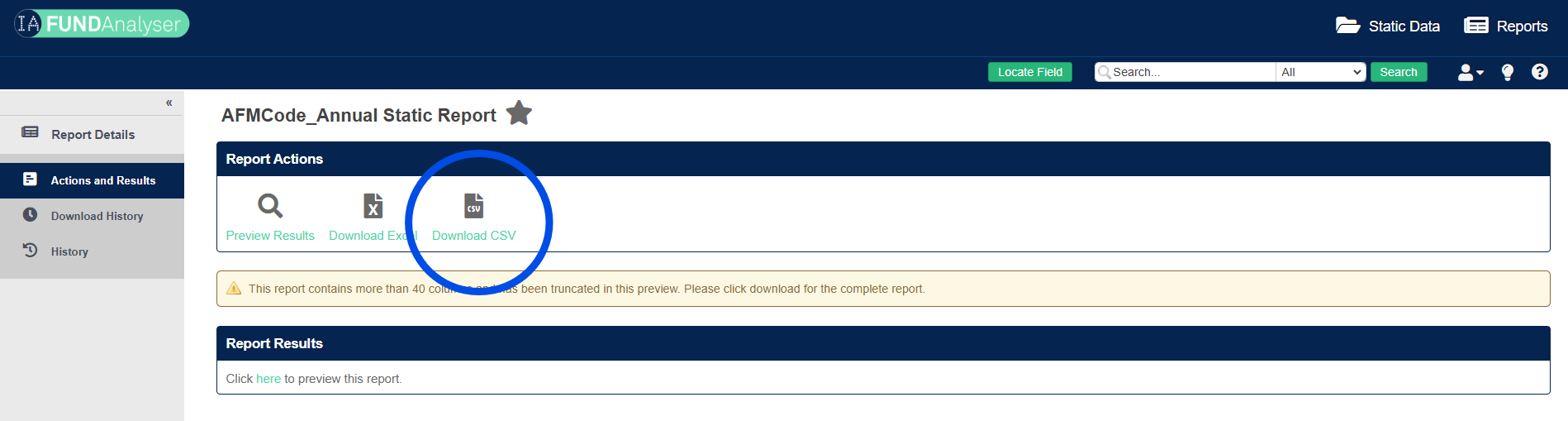
Use the Annual Static Report to mass download all your fund static data.
Written By Tek Chung
Last updated Almost 2 years ago
Background
This can be useful if:
You want to mass update your fund static data. The IA will request regular checks of all IA members’ data to ensure accurate reporting to benefit all stakeholders. For more information on how to submit changes, please see our article on “How to update your static data (2 ways)”.
You want to keep a copy of what’s stored on the IA database.
You want to use the fund static data to feed into other systems you use.
Instructions
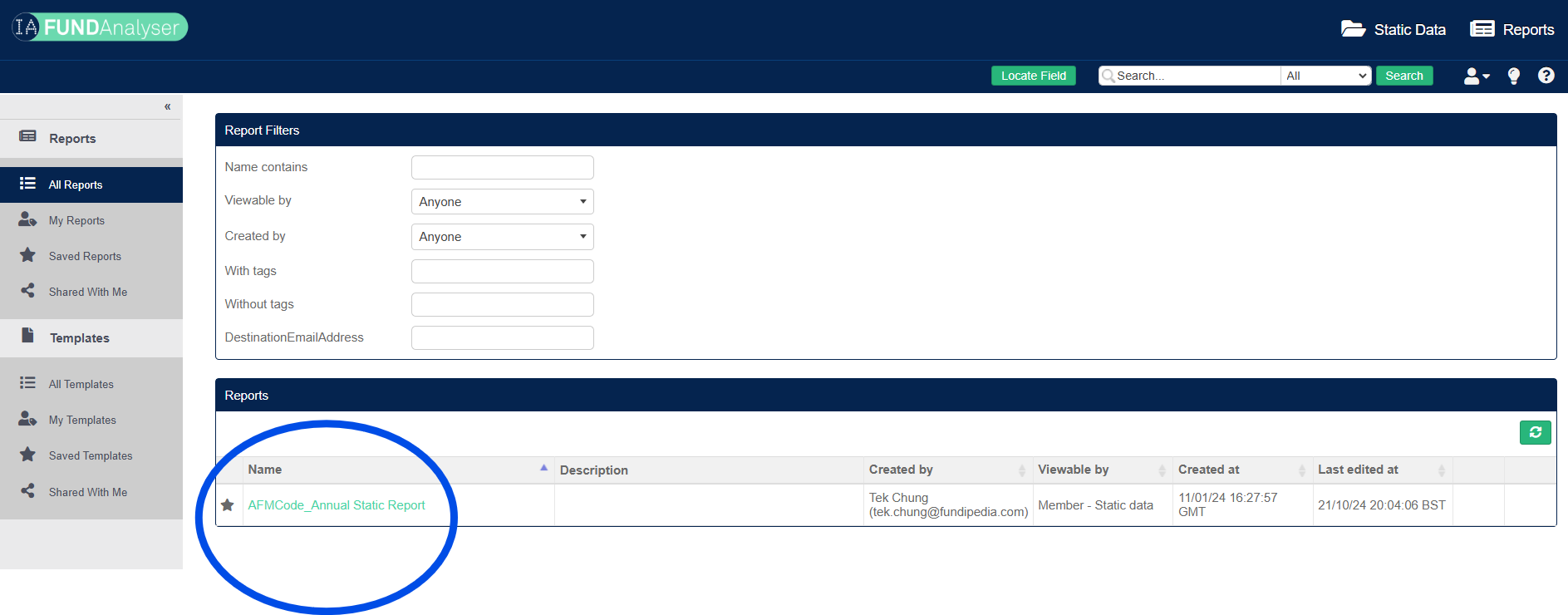
Click on “Reports” on the top menu
Click on “Annual Static Report”.
Click “Download CSV” to output a file with all your fund static data.