Fund Static Form
Written By NatalieO97
Last updated Over 1 year ago
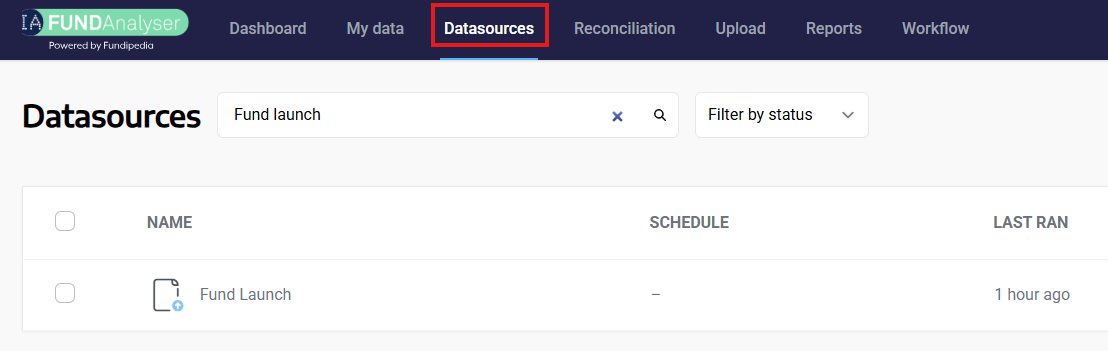
To upload new Funds onto Fundanalyser, you will need to use Datasource. Once you are in the Datasource screen, search for the Fund Launch Datasource in the search bar as shown below.
Fund static template:
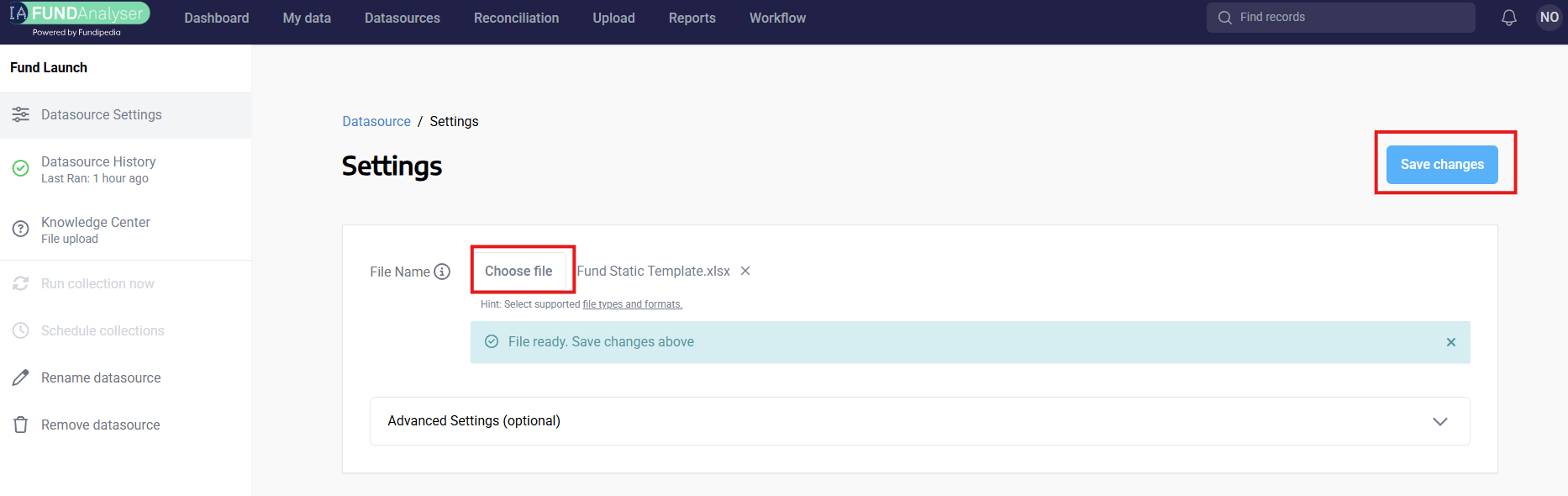
Click the ‘Choose File’ button to select the file that you would like to upload, and then click ‘Save Changes’.
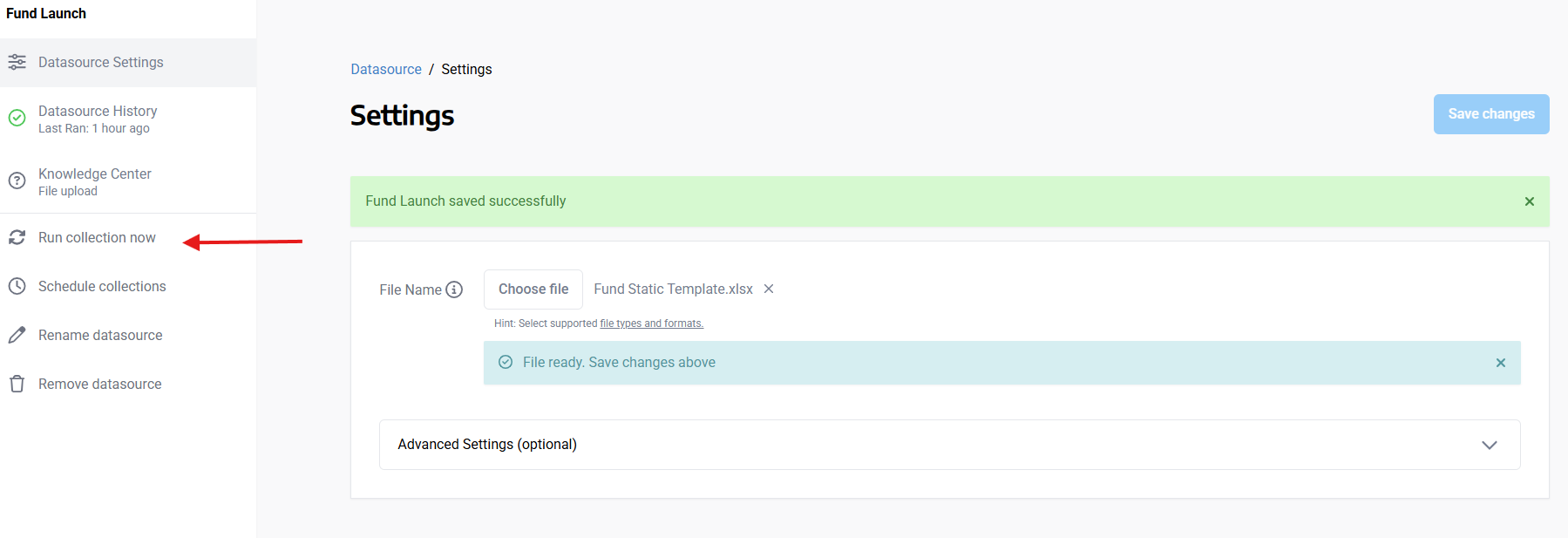
Once the file has been saved successfully, The reconciliation will automatically be triggered.
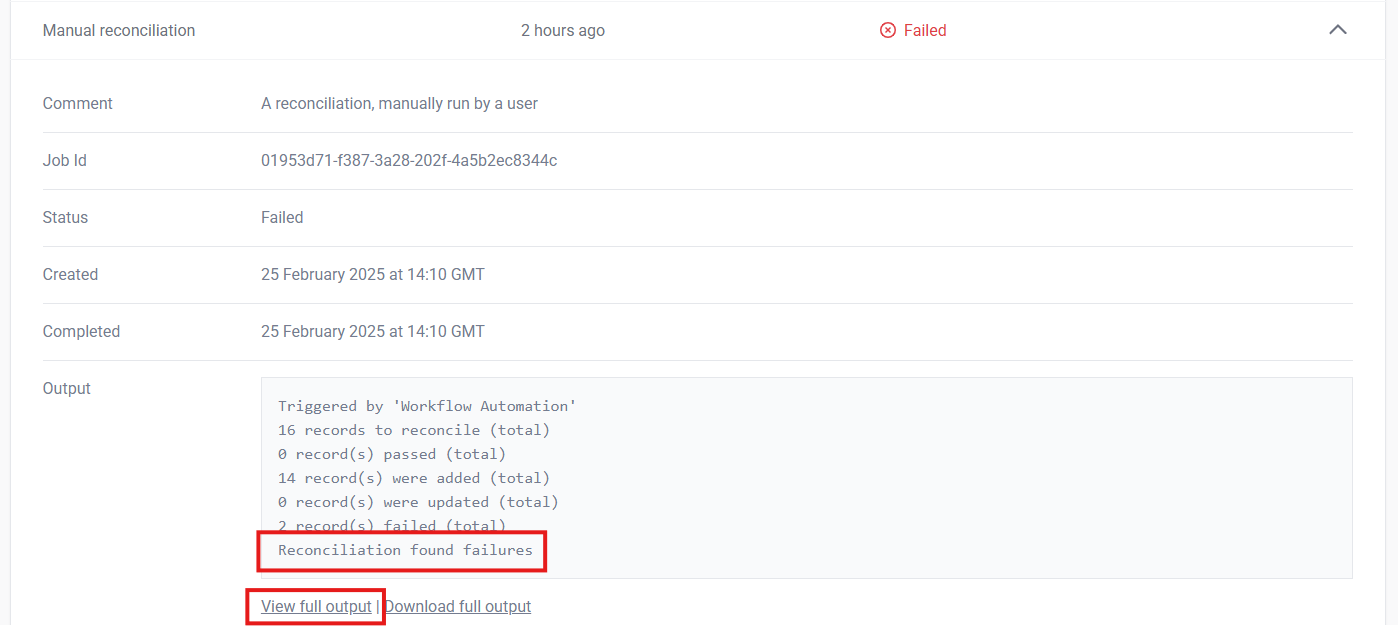
Once the Datasource collection has run, a workflow will trigger the Reconciliation to run automatically. To check if this has been successful, click on Reconciliation in the top menu and search for Fund launch.
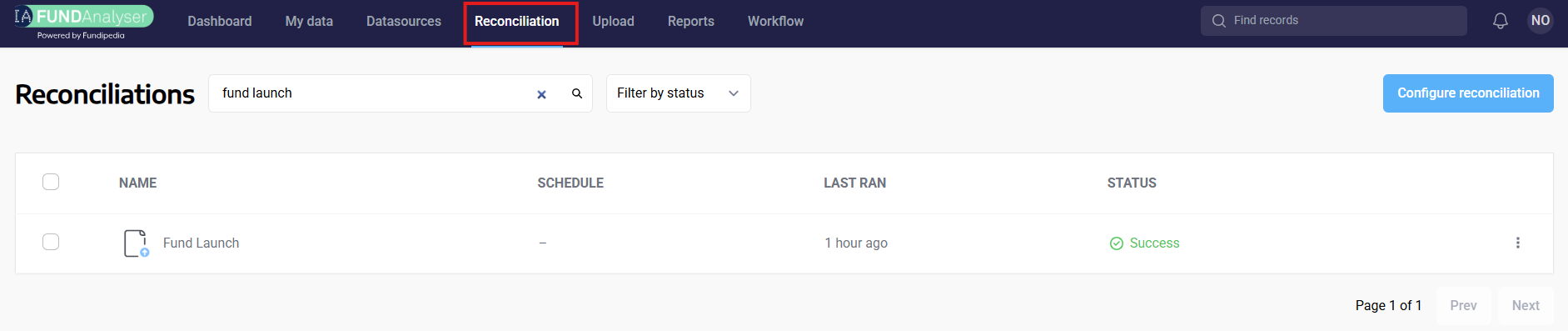
If there are any failures you will be able to view them here, and go back to your file to amend, before reuploading it.
.